Want every screen? The Map has all of them, line by line.
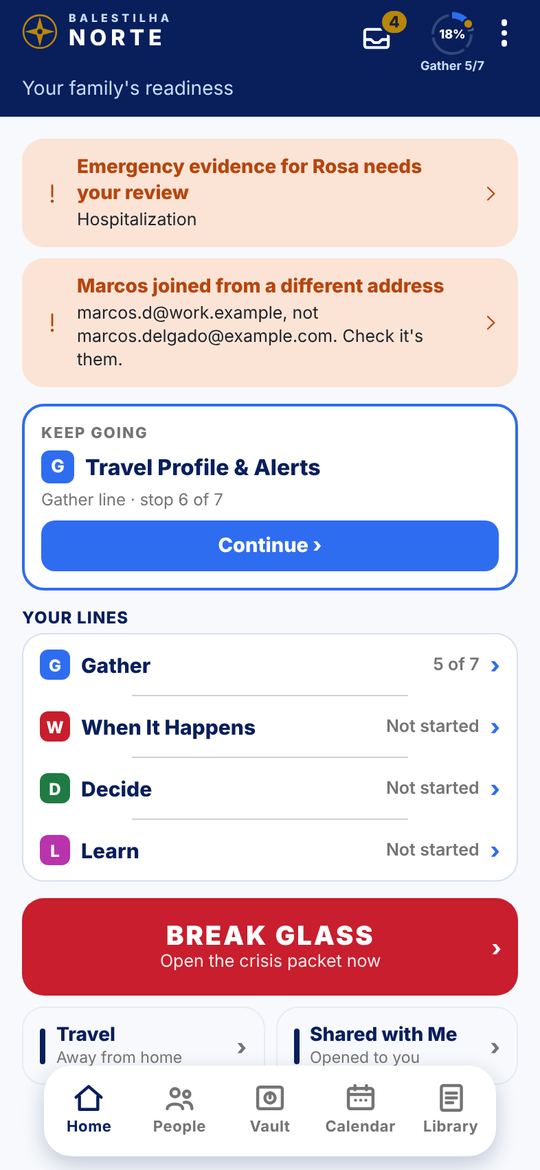
These are today’s screens from the app, with a sample family (Rosa Delgado). Tap a step, or use Next.
Want every screen? The Map has all of them, line by line.
Norte is in testing, free for your family, and it stays free. Install it on your phone and tell us plainly where it breaks.
Needs iOS 16 or later. On a computer? Open this page on your iPhone or iPad.
Sign in with the Google account on your phone and tap Join group. That is what lets Google Play show you Norte.
Opens Google Play testingBecome a TesterTap Become a Tester, then install Norte from Google Play. Norte lands on your phone like any app.
Google can take a few minutes to catch up after you join. If step 2 says Norte is not available to you, wait a moment and try again. Updates arrive through Google Play, the same as any app.
Questions: hello@balestilha.com